SaleSnap

Automatically generated descriptions for every photo in your EstateSales.net listing

Add to Chrome
Free on the Chrome Web Store
  • Only works on EstateSales.net. It can't see any other site.
  • Never sees your EstateSales.net login and never publishes for you.
  • Your data is never used to train models.
  • Delete everything SaleSnap has stored, any time, with one button.
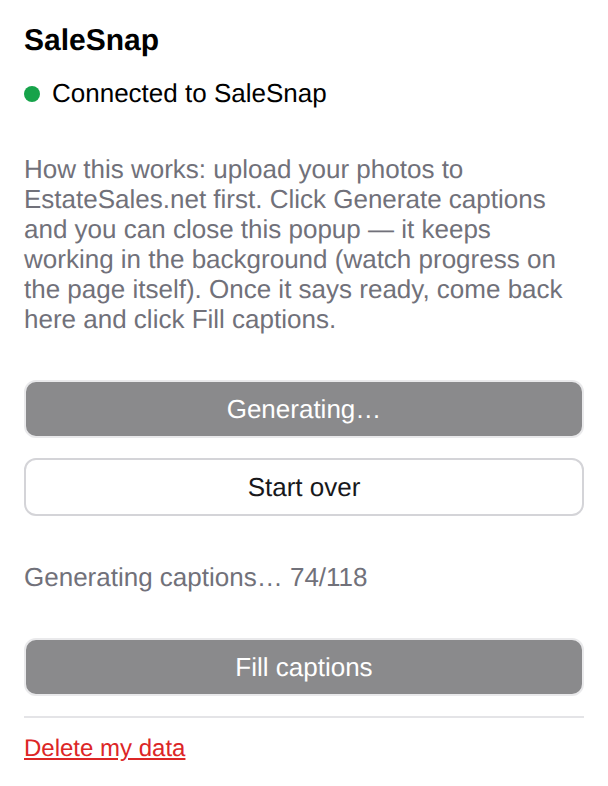
The SaleSnap popup showing 'Generating captions… 74/118'.
The whole extension: one small popup.

How it works

1

Upload your photos to EstateSales.net

Add your sale's photos the way you already do.

2

Generate captions

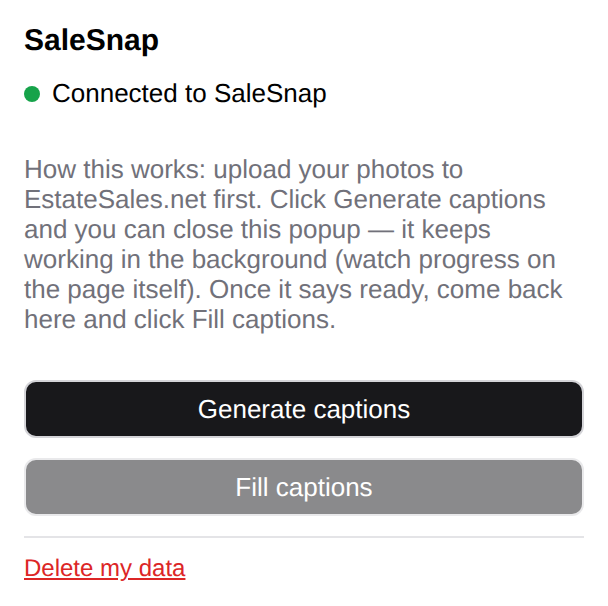
Open the popup on your sale's Pictures page and click Generate.

The SaleSnap popup with a Generate captions button.
3

Fill in captions automatically

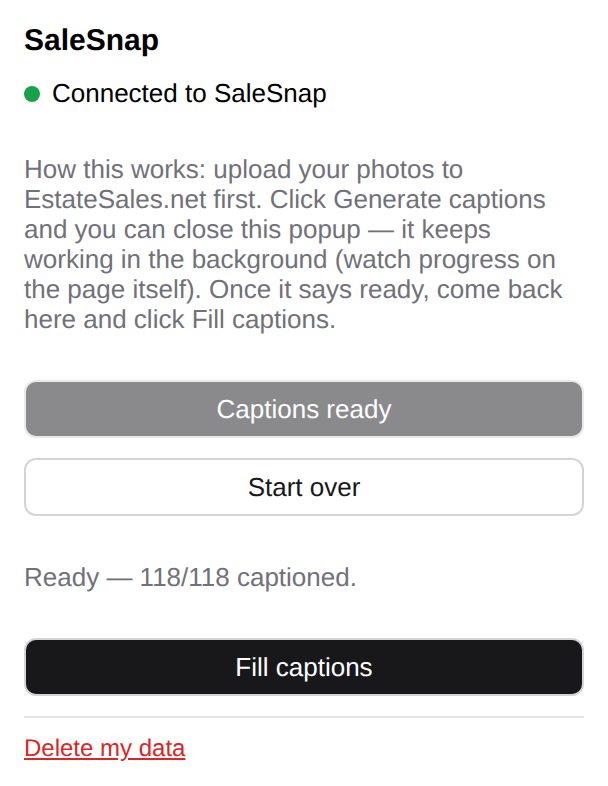
When it says ready, click Fill captions. SaleSnap types each caption into the matching photo on the page.

The SaleSnap popup showing all captions ready and a Fill captions button.
4

Review and save

Read through the captions, change anything you like, then click Save on EstateSales.net.

5

Delete your data (optional)

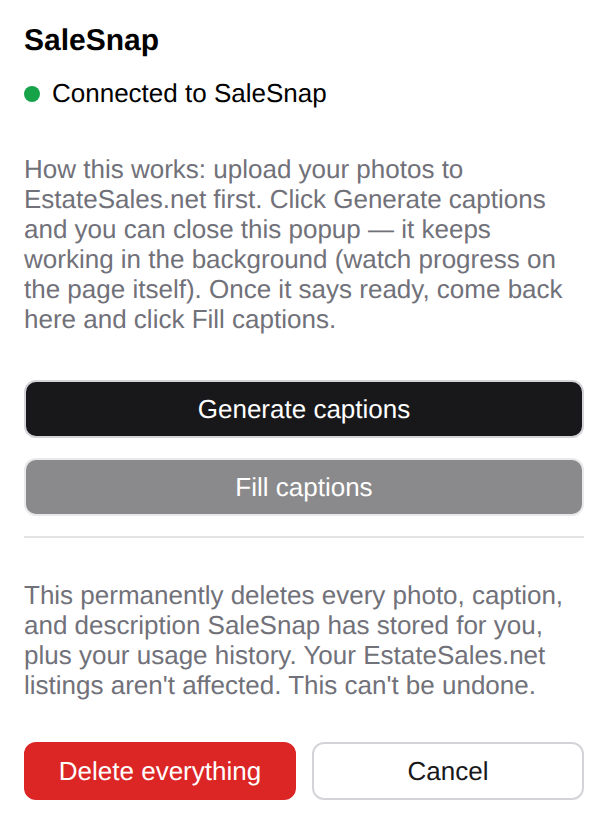
When you're done, click Delete my data to permanently remove all of your images and descriptions from our database.

The SaleSnap popup asking to confirm permanent deletion, with Delete everything and Cancel buttons.

Questions

Straight answers to what estate sale operators have asked us.

What data is sent?

When you click Generate captions, each photo you've uploaded to the sale is sent to the AI to identify the item and write a caption. If you also generate a sale description, it's written from the item names SaleSnap identified in those photos.

Nothing else from your listing or EstateSales.net account is sent: no address, dates, prices, client names, or login details.

Are my photos or captions used to train AI?

No. SaleSnap doesn't train any AI models.

How do I delete my data?

Open the SaleSnap popup and click Delete my data at the bottom, then confirm. That permanently deletes every photo, caption, and description SaleSnap has stored for you.

Does SaleSnap see my EstateSales.net login or publish anything?

No to both. It never reads, stores, or asks for your EstateSales.net username or password, and it never clicks Save or Publish. You always review and save yourself.